
2. The CNC Editor
Create CNC Headers
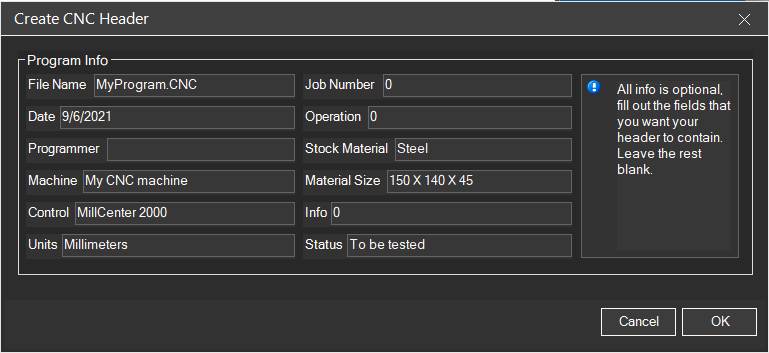
The Create CNC Header function allows you to automatically generate standardized headers for CNC programs.
2.9.1 Overview
CNC Simulator Pro includes a "Create CNC Header" function that allows users to automatically generate headers for their CNC programs.
2.9.2 How to Create Headers
To access this feature, users should navigate to Tools → Create CNC Header from the main menu. This opens a dialog box where users can input their desired information.
2.9.3 Process
- Open the dialog from Tools → Create CNC Header
- Fill out the fields with the information you want in the header
- Click OK
- The header will be automatically created for you
2.9.4 Typical Header Fields
- Program name
- Creation date
- Author / Programmer
- Part description
- Revision number
- Material
- Additional notes
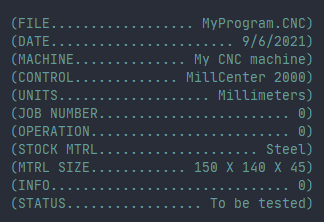
Header Example
(====================================)
(  PROGRAM: BRACKET_001             )
(  DATE: 2024-01-15                 )
(  PROGRAMMER: J. Smith             )
(  MATERIAL: Aluminum 6061          )
(  REVISION: 1.0                    )
(====================================)
Benefits: The tool streamlines the header creation process by automating generation based on user-provided details, eliminating the need for manual coding of this standard program component.
Related Sections: