
2. The CNC Editor
Comments in Code
Comments in code allow you to add notes and documentation to your CNC program without affecting the simulation.
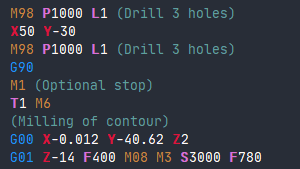
2.8.1 Two Comment Methods
Parentheses Comments
The primary approach involves placing comments within parentheses. CNC codes inside the parentheses will be ignored by the CNC Simulator Pro interpreter.
G00 X0 Y0 (Rapid move to origin)
G01 Z-5 F100 (Plunge cut)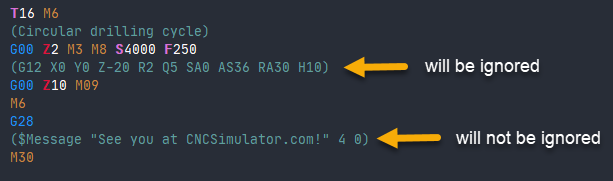
Note: CNC Simulator Pro-specific $-commands will still be processed even when inside parentheses.
Semicolon Comments
An alternative method uses semicolons, which is commonly used to comment out whole sections of blocks.
; This is a full line comment
; The code below is disabled:
; G00 X50 Y50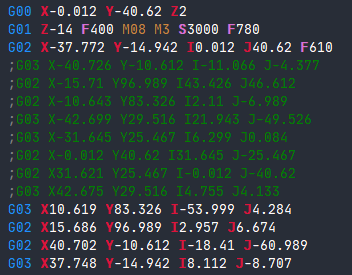
2.8.2 Selecting and Managing Comments
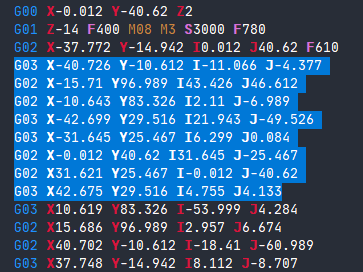
To comment out multiple blocks:
- Select them in the editor using Shift + Arrow keys or mouse dragging
- Selected blocks display in blue
- Access the Edit menu and choose Comment out selection
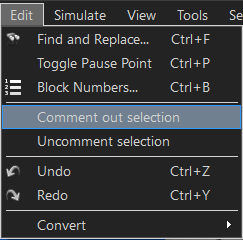
To restore commented code:
Select the blocks and use Uncomment selection from the Edit menu.
Usage: This feature allows developers to efficiently disable sections of CNC code without deleting them, facilitating testing and code organization.
Related Sections: