
2. The CNC Editor
Convert
The Convert function allows you to convert numbers between inches and millimeters and vice versa.
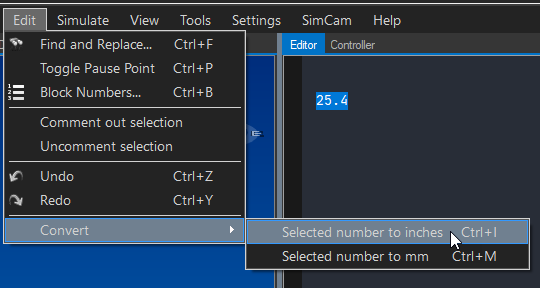
2.11.1 Functionality
The feature enables users to convert numbers from inches to millimeters and vice versa. To use it, you must first select the number you wish to convert in the editor, then access the Convert menu option.
2.11.2 Available Conversions
| From | To | Formula |
|---|---|---|
| Inches | Millimeters | mm = in × 25.4 |
| Millimeters | Inches | in = mm ÷ 25.4 |
2.11.3 How to Use
- Select the number in the editor you want to convert
- Navigate to Edit → Convert
- Choose the conversion direction
- The selected number will be replaced with the converted value
Example
; Before (inches):
G01 X1.0 Y0.5 F10

; After conversion (millimeters):
G01 X25.4 Y12.7 F254
Tip: Remember to also change the G20/G21 code when converting an entire program between unit systems. See G20-G21 Unit Selection.
Related Sections: