
3. Simulation Tutorials
Turning Tutorial
This tutorial will guide you through creating your first CNC turning program.
Preparation
Before starting:
- Select a lathe from the inventory browser
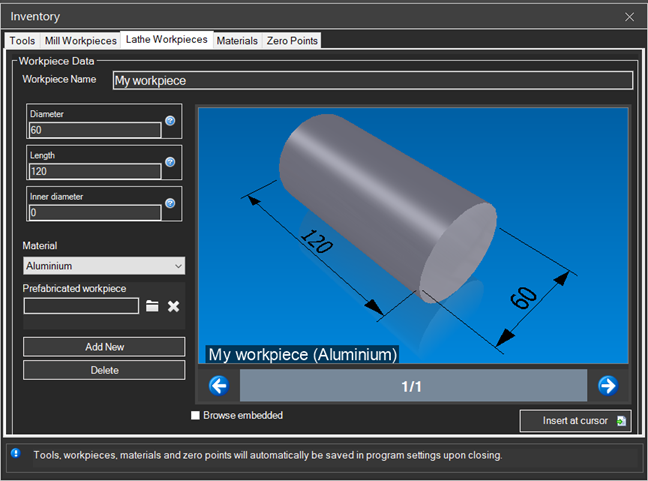
- Set up a cylindrical workpiece
- Configure the turning tools
Lathe Coordinate System
In CNC lathe:
- X = diameter (or radius, depending on configuration)
- Z = longitudinal axis (workpiece length)
Example: Facing and Roughing
O0001 (TURNING TUTORIAL)
(T1 = ROUGHING TOOL)
G21 G18 G40 G80 G90      ; Lathe initialization

T1 M6                    ; Tool change
G97 S1500 M3             ; Spindle 1500 RPM
G0 X52 Z2                ; Positioning

; FACING
G1 X-1 F0.2              ; Face to center
G0 Z2 X50

; DIAMETER ROUGHING
G71 U2 R1                ; Roughing cycle
G71 P10 Q20 U0.5 W0.1 F0.25
N10 G0 X20               ; Profile start
G1 Z0 F0.15
G1 X30 Z-10              ; Taper
G1 Z-30                  ; Cylinder
N20 X52                  ; Profile end

G0 X100 Z50              ; Retract
M5
M30
Turning Cycles
G70-G76 cycles simplify common operations:
- G70: Finishing cycle
- G71: Longitudinal roughing cycle
- G72: Face roughing cycle
- G73: Pattern repeat cycle
- G76: Threading cycle
Tip: Use G96 for Constant Surface Speed (CSS) which maintains uniform surface velocity.