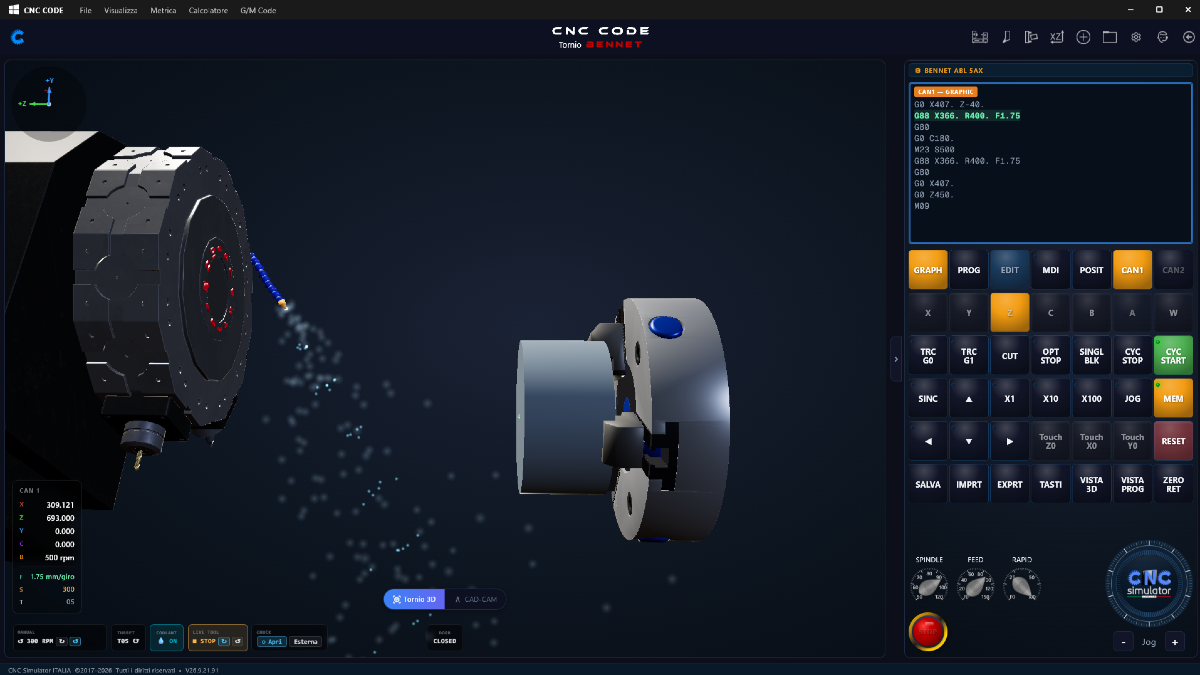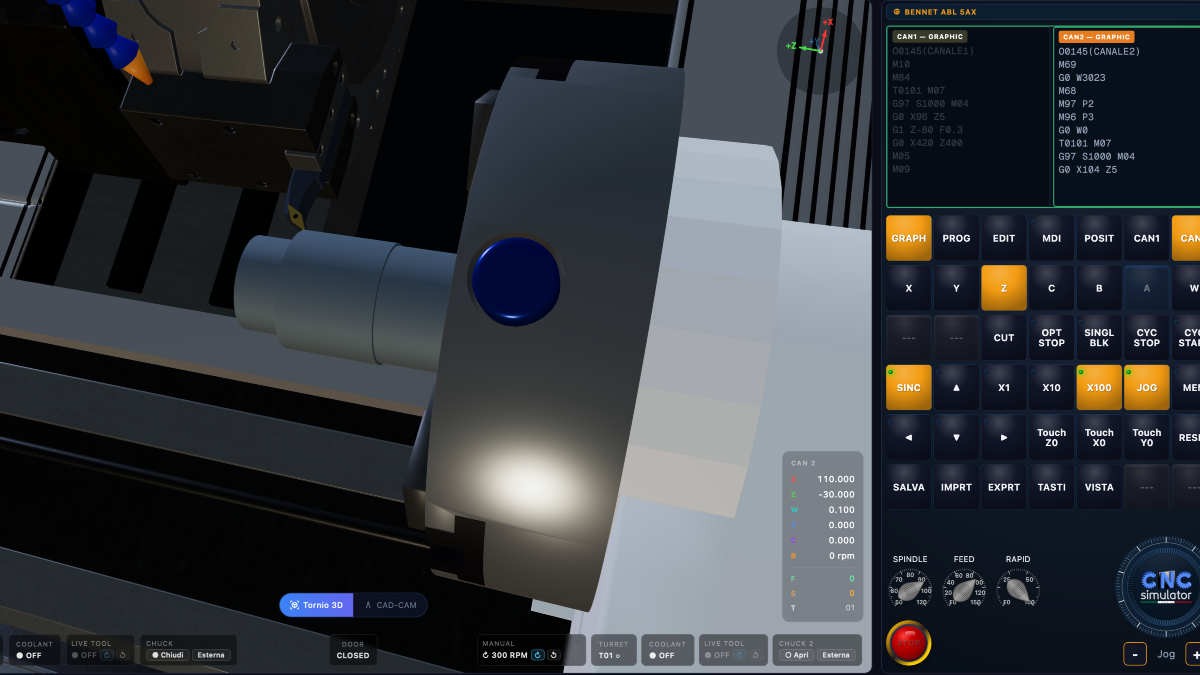
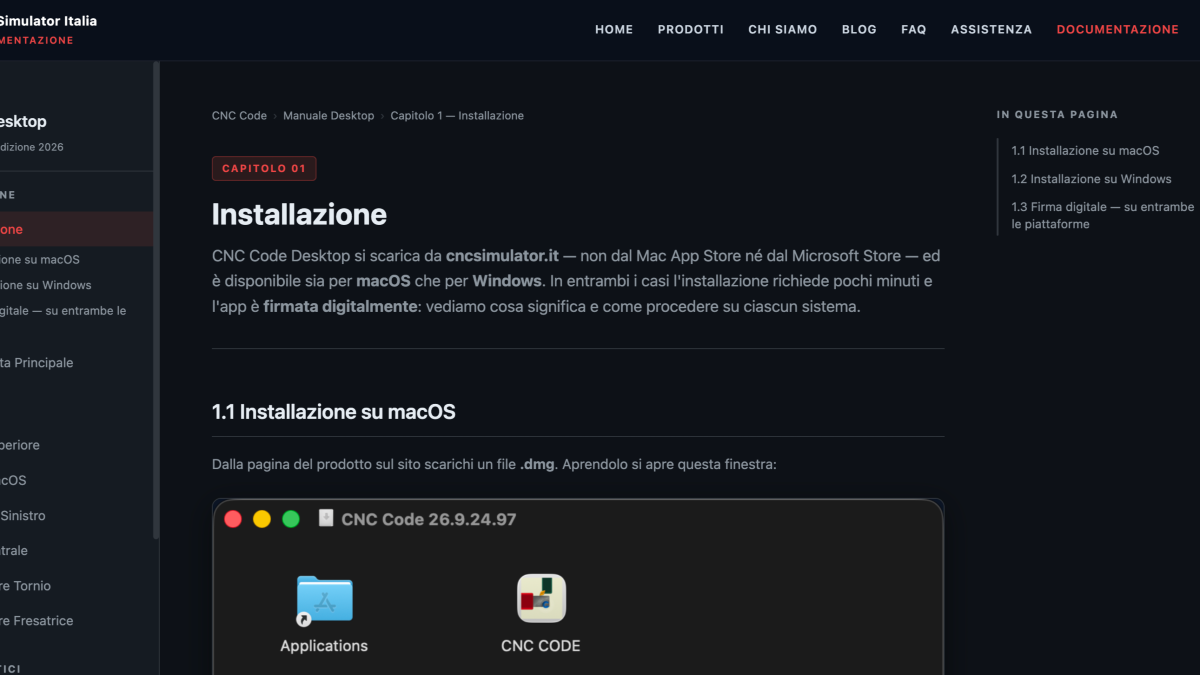

Nineteen chapters, real app screenshots and two complete exercises from raw stock to finished part: the CNC Code user manual for Mac and Windows is online at cncsimulator.it, free of charge, and it grows alongside the software.
As of today, anyone using CNC Code Desktop on Mac or Windows has a place to turn to when they don't know where to start: the online user manual (https://cncsimulator.it/manuale/index.html). It's free, no login required, and you can also find it from the Documentation page of the site and from the Support page, right below your tickets.
Let's say it right away: it's a work in progress. The software changes every week and the manual runs to keep up with it. But what's there today, nineteen chapters, is already enough to go from zero to a finished part in the simulator.
What's inside
The manual follows the same order in which you get to know the program:
- Installation on macOS and Windows, with real screenshots of the DMG and the installer, and an honest explanation of the Windows SmartScreen warning: why it appears even with signed software and how to read the author's name to be sure of what you're installing.
- A tour of the interface: the main screen, the top bar icon by icon, the Mac's system menu item by item, the brands panel with the list of G/M codes, and the machine showcase with the technical data sheet and 3D render.
- The dual-channel lathe simulator and the milling machine simulator: 3D viewer, position indicators, GRAPH/PROG/EDIT/MDI/POSIT views, command keyboard, saving and toolbar.
- Two complete exercises, one on the lathe (a pin with chamfer and step, G71 roughing and G70 finishing) and one on the mill (a perimeter step with radius compensation and a hole with a fixed cycle).
- Lathe and mill CAD/CAM, how CNC Code adapts the code to the chosen control, and how programs are saved, recalled, exported and imported.
- The code reference: lathe G codes, milling machine G codes, and M codes for both, checked one by one against what the simulator actually executes.
The exercises: step by step, in detail
The part we care about most are the two hands-on exercises. They're not a program to copy: they are the sequence an operator would follow at the machine, explained step by step using the app's actual window names.
- You start from the Home screen by pressing Start on the machine.
- You mount the raw stock: chuck jaws, grip length and overhang on the lathe, vise and plate on the mill.
- You set the part zero, with G54 and the Touch buttons, including the facing allowance.
- You set up the tools and understand what the X, Z, TIP and R offsets on the lathe and H and D on the mill are, and what happens when one is missing.
- You write the program line by line, with an explanation of every word.
- You run it: first block by block with SINGL BLK and the toolpath traces, then in automatic mode, with the alarms the simulator raises if you make a mistake just as you would in the workshop.
- You measure the finished part with the 3D Measure tool and start over with a new blank.
If you've already worked on a real machine, you'll recognize your own gestures. If you've never done it before, this is the best way to arrive prepared.
How we wrote it
Every chapter was written by looking at the software, not by relying on memory of how it should work: the screenshots are the real ones from the latest version, the button names are the ones you actually read on screen, and where a feature doesn't exist, the manual doesn't invent it. Whenever we found a discrepancy between what the manual intended to say and what the program actually does, we fixed either the program or the manual.
What's still missing
- Some exercise photos are still marked as "to do": they're coming in the next few days.
- A dedicated chapter on the Custom Control, from purchase to using the custom-tailored control.
- Translations: for now the manual is only in Italian.
If you find an error, an unclear step, or a feature you'd like to see explained, open a ticket for us (https://cncsimulator.it/tickets): it's the fastest way to get the correction into the manual.
Open the CNC Code Desktop user manual → https://cncsimulator.it/manuale/index.html