
At CNC Code, joining the lathe and the milling machine is about to be… a 3D Printer. Put that way it sounds odd, so let's start with why.
Why a printer in a CNC simulator
In technical school labs, 3D printing has been around for a while now, often in the very same classroom as the lathe and the mill. And the language belongs to the same family: G-code. Anyone who has learned to read a program on the lathe can read a printing program too. The commands change, not the way of thinking.
Anyone who teaches knows this well: the difficulty isn't the machine, it's getting across the idea that that text commands a movement. Having a lathe, a mill and a printer in the same environment, with the same monitor and the same keyboard, makes the transition obvious.
The machine
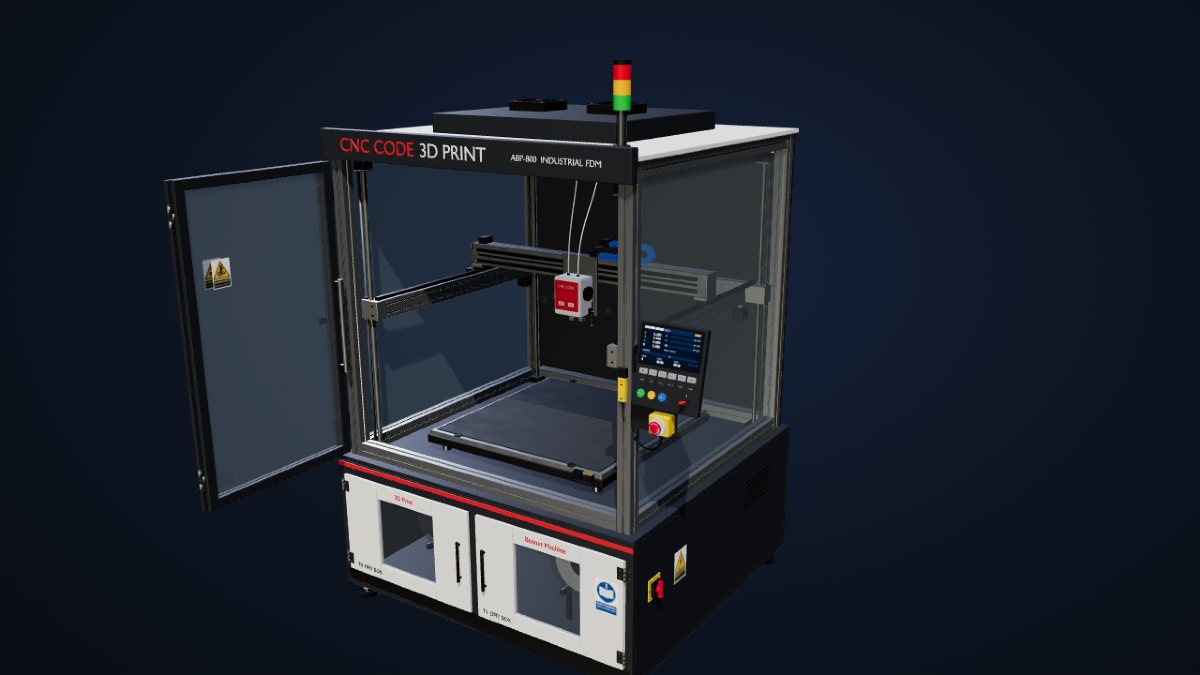
It's called the CNC CODE ABP-800 and it's an industrial gantry-style FDM printer with an enclosed cabin. Build volume 800 × 800 × 900 mm, heated bed 920 × 920, two one-millimeter nozzles on the same head, filament drying cabinets for the spools, cable drag chains, a signal tower light and a pressable operator panel, complete with an emergency mushroom button and a main switch.
The reference firmware is Marlin 2.x, which for printers is what Fanuc is for the lathe. It also understands the Klipper dialect: word commands and starting macros are translated into the corresponding lines, and the translation stays visible in the editor, so you can learn just by watching it.
What you can do with it
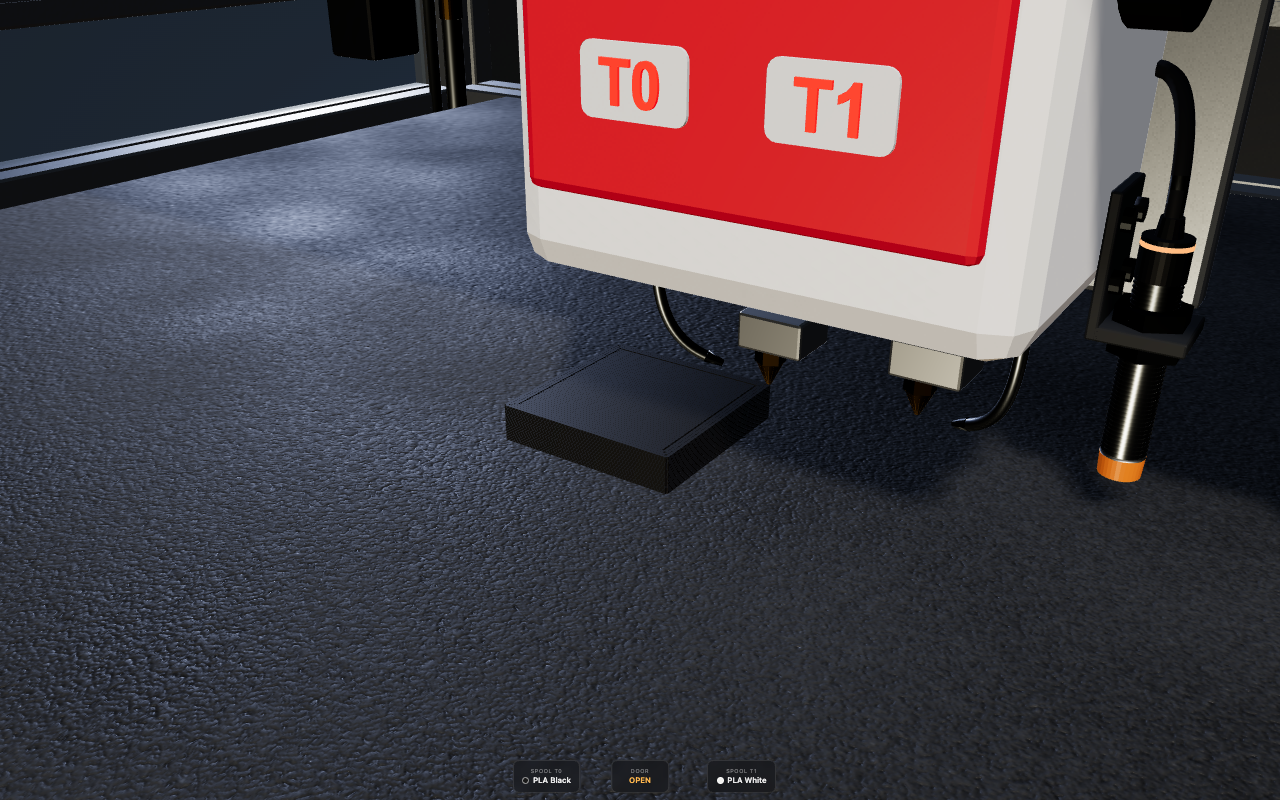
You load the G-code from your own slicer, the real one, and watch it execute line by line: the movements at the programmed speed, the heating of nozzles and bed with real waiting times, the switch between the two nozzles, the fans, the pauses and the filament spool change. The extruded material is laid down on the bed bead by bead, in the color of the loaded spool, and the panel screen shows dimensions, temperatures, progress and piece count, exactly as it would in front of the real machine.
Since a real print takes hours, time is sped up by up to fifty times, without changing one bit of what gets deposited.
But it's not just about reading. You can import an STL or 3MF model and slice it right inside the application, or draw a flat shape in CAD, give it a thickness and send it straight to the machine: the drawing becomes a solid and is sliced without going through any other program.
What it doesn't do, said upfront
The built-in slicer is essential: it does perimeters, infill and solid top and bottom layers, but it doesn't generate supports and doesn't fill gaps between one perimeter and another, and a wall thinner than the bead width simply disappears. For a complicated piece, the right approach remains slicing it with your own slicer and importing the G-code, which the simulator runs in full. We'd rather say it here than have you find out later.
When
The printer isn't part of this update: it's coming with the next one. In the meantime, if you teach or work with additive manufacturing and have an idea of what you'd like to see simulated, let us know: there's still time for us to hear you out.