
Transparency
Signed in with Google? Then you never had a password — now we hand you one
On the first of October a customer bought a Desktop license, opened CNC Code on his PC, typed his email, entered the password he always uses and got a flat Invalid credentials. He tried again. Same wall. So he wrote to us. He was right, and the problem was ours: here is the whole story, because if it happened to him it may have happened to you.
What was going on
There are two ways into the website: email and password, or one click through your Google, Apple or Facebook account. The second one is convenient and almost everybody uses it — here it is nearly nine accounts out of ten.
There is a detail nobody ever explained, though: when you sign in with Google you never choose a password. Only one exists, generated at random by our system the moment your account is created, and nobody knows it: not you, not us. The website does not need it, because Google vouches for you.
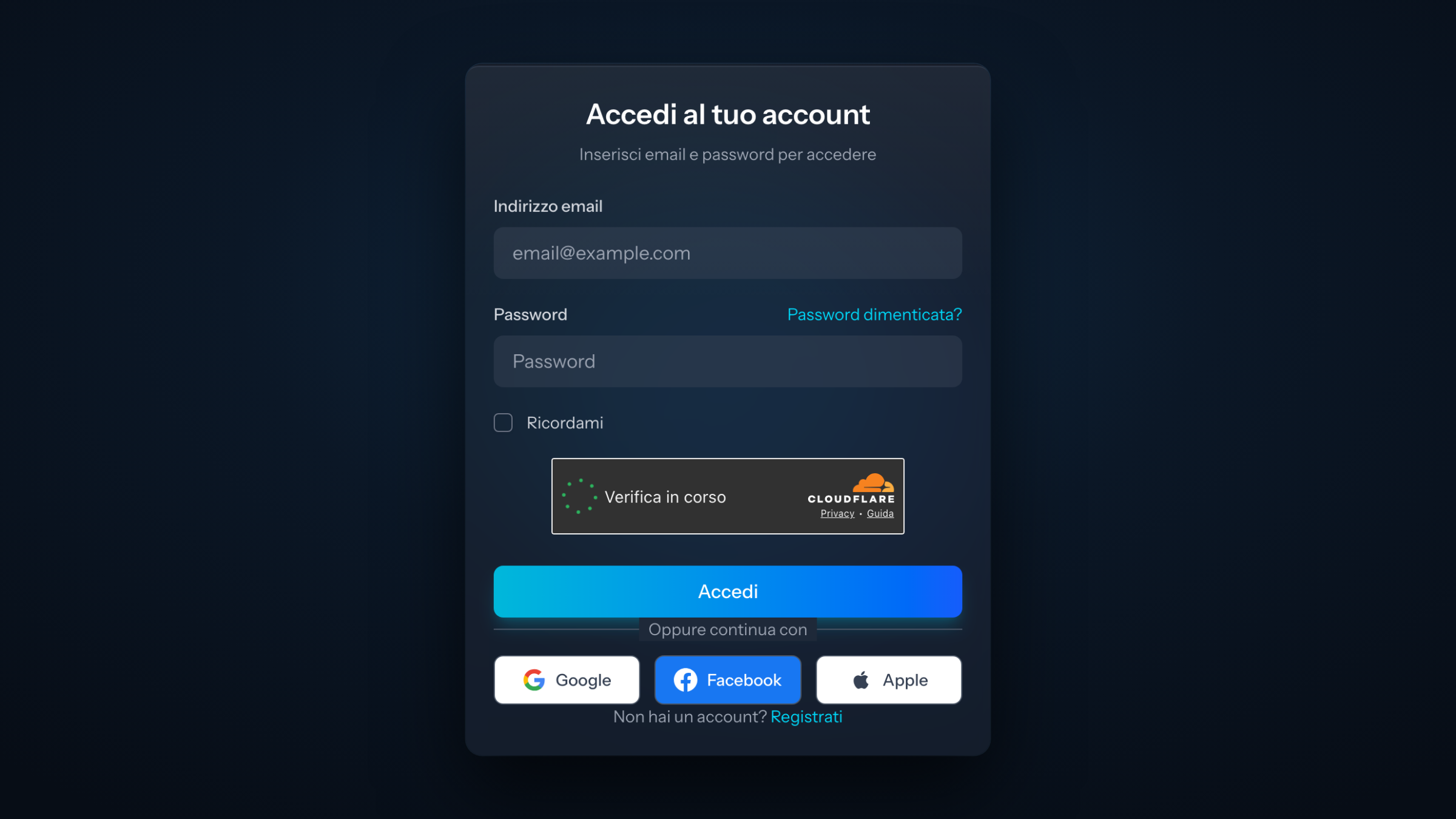
The app for PC and Mac does need it: there are only two fields there, email and password. Anyone born through Google was left guessing a password that never existed. Worse, the program only answered Invalid credentials: two words that make you think you got it wrong, when there was nothing to get right.
What we changed
First: the program now tells you. If your email exists but that account was created through Google, Apple or Facebook — or from a ticket opened inside the app — the message is no longer "invalid credentials" but an explanation of what happened and what to do, in your own language.
Second: an email reaches you right then, with a button to create your password. You do not have to ask for it, you do not need to know a password reset exists: we send the link ourselves, it lasts thirty days, and the email stays in your inbox for later. From now on it also goes out to anyone signing in with a social account for the first time, so the password is ready before you even find out you need it.
One thing we deliberately did not do: email you a ready-made password. It was the shortest route, but a password written in plain text sits in a mailbox forever, and people reuse it elsewhere. The link lets you choose it instead, and only the person who types it knows it: you.
If it happens to you now
In the app sign-in window (or on the website) click "Forgot password?", type your email and the link arrives. From then on you sign in with it both in the app and on the site, and the Google button keeps working as before: use whichever suits you.
Customers who had paid and were locked out have already received it: we went looking for them one by one in our records, without waiting for them to write.
One favour
If something does not work, write to us. That customer spent three lines on a ticket, and within hours the problem was closed — not only for him, but for everyone who would have hit it later. The button to open a ticket is inside the app, under Support, and there is no robot on the other side: there is us.